




Automatic time registration for all employees
Whether your employees have fixed working hours or alternating work days, Intempus makes it easy to record working time automatically.

How does automatic time tracking work?
Automatic time recording in Intempus makes it easier to record working time without manual input every day. The solution can be adapted to different types of employees and workflows. For employees with fixed working hours, the time can be recorded automatically based on a fixed standard time, while employees with varying working days can receive suggestions for time recording based on their previous work patterns.
For employees with varied work procedures – Get suggestions for today's registration
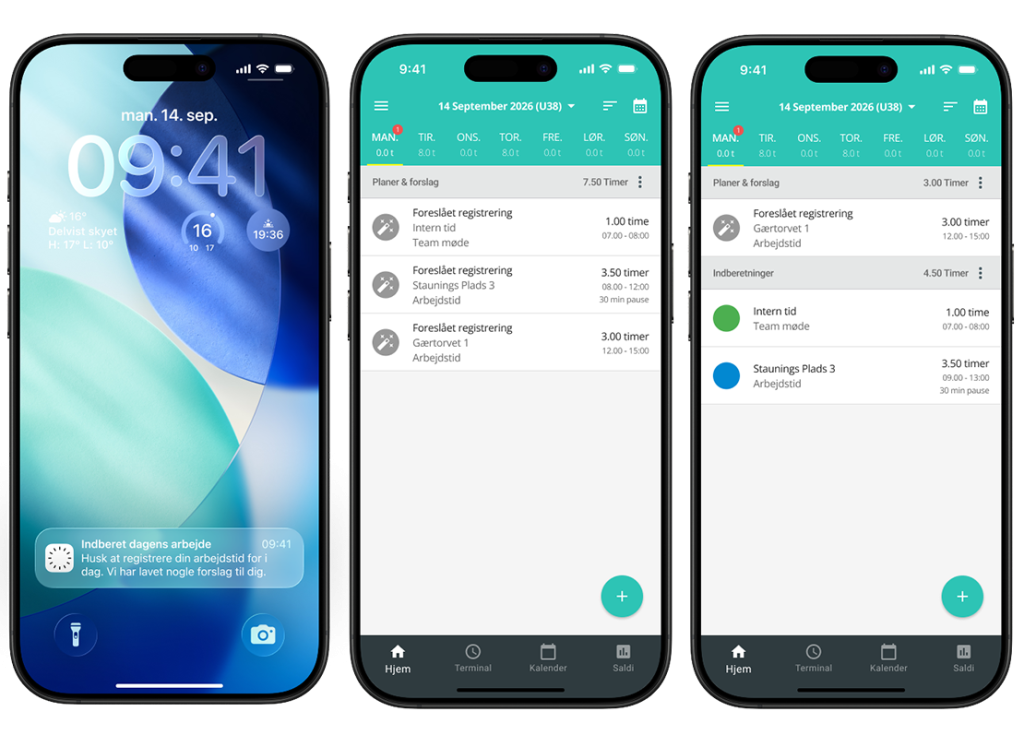
Multiple data sources – one accurate time tracking system
Do you have employees with varying working hours, such as those who work on projects and are in different locations during the workday?
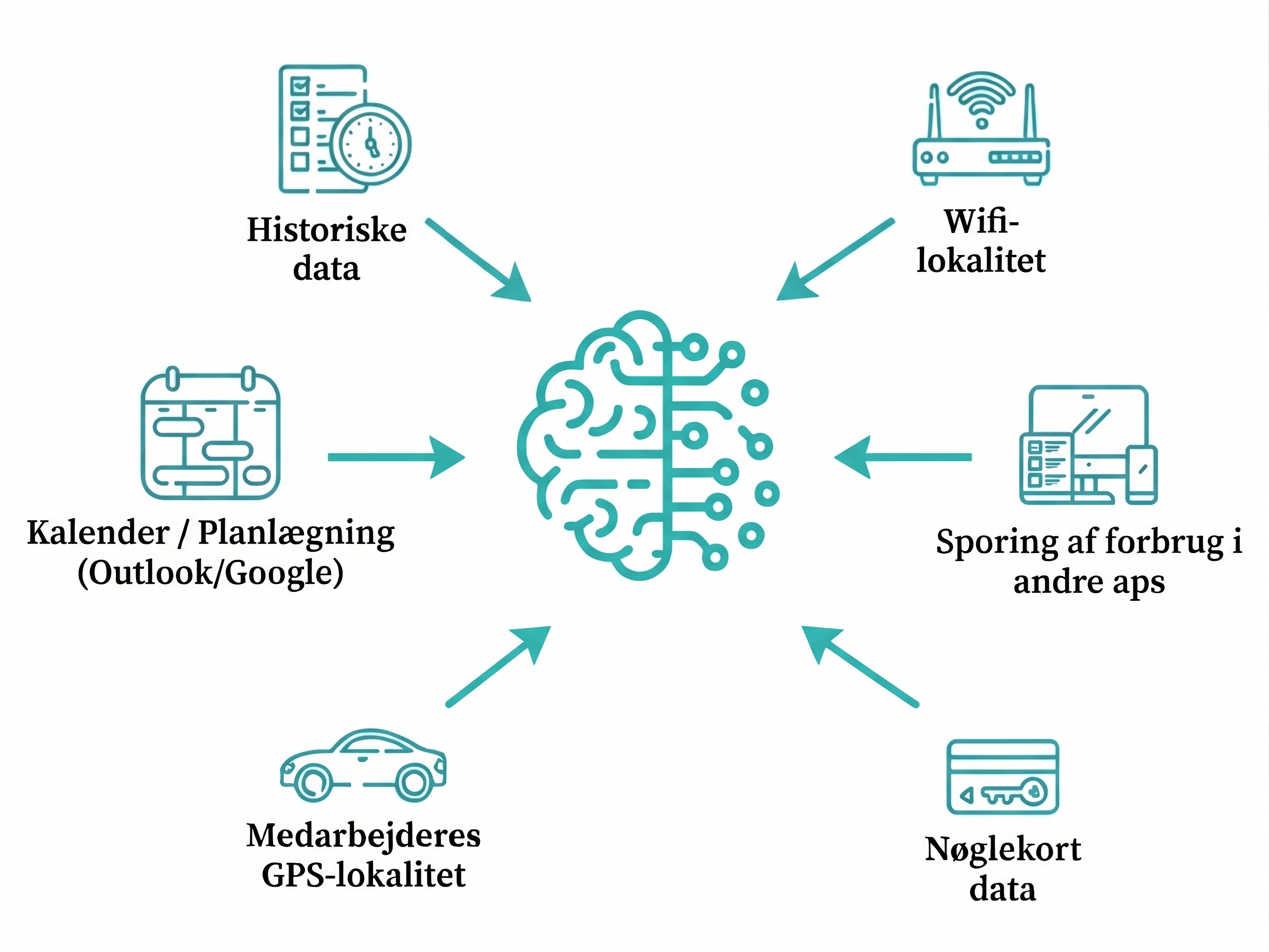
With our intelligent AI model, data from your existing sources is automatically collected. By allowing the AI model to process and combine the information from all sources, employees can receive accurate registration suggestions so they don’t have to enter it again every day. All they have to do is accept, edit, or reject the suggestion.
See examples of data sources in the graphic.

Get more precision with GPS
Do your employees record time on projects or cases? Intempus can use GPS data to suggest which project or case the employee’s hours should be recorded on.
The employee automatically receives a suggestion for an entry related to the specific project. This makes time tracking faster and provides you with a more accurate basis for invoicing and payroll.
Want to start saving time on the necessary time tracking?
For employees with a fixed standard time – record only deviations
The ideal solution for salaried employees
Do you have salaried employees with fixed salaries and fixed working hours? Now they can avoid having to manually record their working hours every day. The system automatically ensures that working hours are recorded based on the employee’s fixed daily standard, so they only have to record any deviations such as holidays, illness, courses, or leave.
The working hours are first displayed as “planned work” in the app and are automatically converted into a recording during the night, unless the employee has recorded a deviation – as shown in the video.
In this way, daily time recording becomes both easier and less time-consuming for the employees.
Fancy hearing more about automated time tracking?
Frequently asked questions
FAQ about automatic time tracking
Are you a new or existing customer, and do you have any questions for Intempus?
You can view some of our frequently asked questions here.
What is automatic time tracking?
Automatic time recording in Intempus makes it easier to record working time without manual input every day. The solution can be adapted to different types of employees and workflows. For employees with fixed working hours, the time can be recorded automatically based on a fixed standard time, while employees with varying working days can receive suggestions for time recording based on their previous work patterns.
Is working time recorded automatically?
It depends on the type of employee. For employees with fixed working hours, time can be recorded automatically, so the employee only needs to report any deviations such as vacation, illness, or training courses. For employees with varying working days, Intempus suggests time registration that the employee can accept, customize, or reject.
How does automatic time recording work for different types of employees?
Intempus offers various options for automatic time registration depending on the employees’ work routines. Employees with fixed working hours can simply record deviations from their normal working hours. Employees with shift-based work schedules, projects, or tasks can instead receive intelligent registration suggestions based on their previous recordings. In this way, the solution can be adapted to the company’s various needs.
Does the employee retain control over their time recording?
Yes. The employee always has the option to ensure that working time is recorded correctly. With fixed working hours, the employee can record deviations from the standard working time, while employees with varying working days can accept, modify or reject the proposed registrations.
What happens if the working day does not follow the normal pattern?
If the workday deviates from the normal schedule, the employee can easily adjust their time recording. This could be for holidays, illness, overtime, or changes in work tasks and projects. In this way, it ensures that the recorded working time reflects the actual workday.
What are we risking if we do not record employees' working hours?
If you do not record the employees’ working hours in accordance with applicable legal requirements, the company risks legal consequences. At the same time, the lack of registration can make it difficult to document the working hours in case of disputes about overtime or compliance with the 48-hour rule and rest time regulations. With automatic time recording, it becomes easier to ensure continuous and accurate recording of employees’ working hours.